Short answer: November 2026
When Walter Writes AI is not working, the cause is usually your browser, network or word balance: status.walterwrites.ai showed all systems operational on November 9, 2026. Clear your cache, try a private window, turn off ad blockers and VPNs, and check your words before emailing support.
Key takeaways
- Walter’s own help article says a page that will not load “usually” comes from a browser issue; my Walter Writes AI explainer covers how the web app, extension and phone apps fit together.
- The official status page tracks four parts: Walter API, Walter App, Detector and Humanizer.
- A Humanizer that stops mid-month has usually hit the word limit, such as 30,000 words a month and 750 per request on Starter.
- The Android app’s Cloudflare login loop appears in three Google Play reviews from July to September 2026; the phone browser is the workaround.
About this guide: how I checked
By Alex Morgan, an independent reviewer who has tested 40+ AI writing tools. Updated November 9, 2026. That day I checked Walter’s status page, read every article in the help center’s Troubleshooting category, the Google Play reviews, Cloudflare’s challenge guide and Walter’s Trustpilot profile. Each fix below links to the page it comes from.
Is Walter Writes AI down right now?
Check the official status page first: status.walterwrites.ai, linked from the footer of the Walter homepage. On November 9, 2026 it read “all systems operational” across its four components.
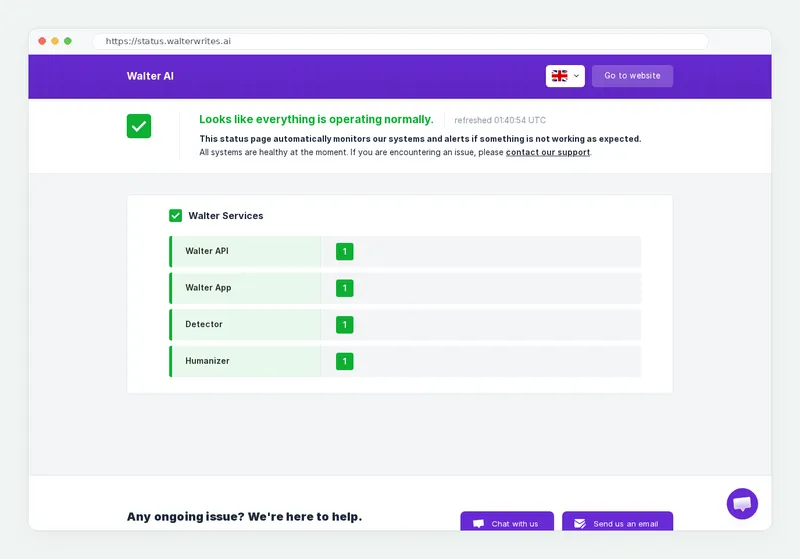
Read the component that matches your problem. If only the Humanizer shows an incident, the Detector may still work, and the reverse. A red mark anywhere means the fault is on Walter’s side and the fix is to wait and retry.
If the page is all green, run a two-minute split test. Open Walter in a private window, then on your phone using mobile data. If it loads in either place, the service is up and the problem sits with one browser, device or network. Walter’s official X account is @walterwrites_ai, as listed in its site footer.
How do you fix Walter Writes AI step by step?
Work through these steps in order, because each one rules out a single cause.
- Check the status page. Wait if any of the four components reports an incident.
- Reload in a private window. Incognito skips cached files and most extensions at once.
- Turn off ad blockers and script blockers. Re-enable them one at a time to find the conflict.
- Turn off your VPN or proxy. Shared VPN addresses trigger repeated Cloudflare checks.
- Clear the cache and update the browser, or switch to another browser.
- Check your words and input size. Confirm you have words left, the text is 50 words or more, and it fits your plan’s per-request cap.
- Sign out and back in with the method you signed up with, or reset your password.
- Contact support with your browser, operating system and a screenshot.
Why is Walter Writes AI not working?
Most Walter failures trace back to seven causes, and the message you see usually points to one of them.
| What you see | Likely cause | Fix |
|---|---|---|
| Blank page or app will not load | Browser cache, extensions or an old browser | Clear cache, try incognito, disable extensions, update or switch browser |
| Network error | Dropped connection, VPN or blocker, or a service incident | Check status, change network, turn off VPN and blockers |
| CAPTCHA loop at login | Cloudflare check repeating, mostly on Android | Turn off VPN, use mobile data, sign in through the browser |
| Humanizer paused | Monthly word limit reached | Wait for the next cycle or upgrade at a prorated price |
| Asked to subscribe | 300-word free trial used; it does not renew | Choose a plan, from USD 8 a month billed yearly |
| Text rejected | Over the per-request cap, or under 50 words | Split long text; add words to short text |
| Cannot log in | Forgotten password, or a Google sign-up with no password | Reset the password, or use Continue with Google |
Sources: Walter’s Troubleshooting and FAQs category, its free trial article, the Google Play listing and Cloudflare’s challenge troubleshooting guide.
What does Walter’s help center say when the app is not loading?
Walter’s article “The app isn’t loading” says the problem “usually happens due to a browser-related issue” and lists five fixes. They are: clear the cache, try incognito, disable extensions, update the browser and try a different browser.
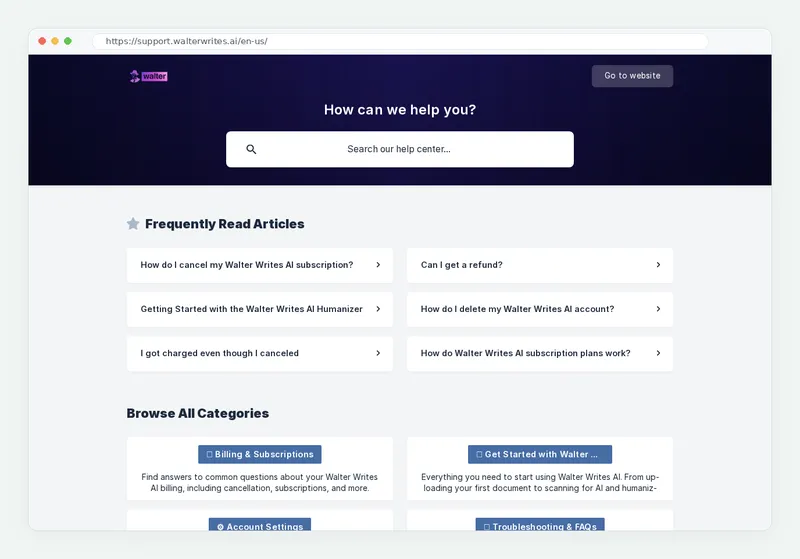
It singles out one culprit: “Ad blockers or script blockers can interfere with the app.” If nothing works, it asks you to send support your browser and version, your operating system, and screenshots. Sending all three in the first message saves a round of replies.
What does a Walter Writes network error mean?
A Walter Writes network error means your request did not reach Walter, or the reply did not make it back. The cause is your connection, something blocking the request, or an incident on the status page.
Main limitation: Walter’s help center has no article for the “network error” message itself, so you are left to work it out from the general loading advice. That is a gap, and it is the reason this section exists.
Here is the order I would follow. If status is green, switch networks; a page that works on mobile data but not on Wi-Fi points at your network. Then follow Cloudflare’s guide, which advises temporarily disabling extensions “such as ad blockers or privacy tools” and notes that poor IP reputation is “often seen with shared VPNs.” On very long inputs, split the text and send it again.
Why does Walter Writes AI not work on my Android phone?
The most reported Android problem is a sign-in loop: the Cloudflare robot check repeats and never lets you in. The three most visible reviews on the Google Play listing, dated July 5, August 28 and September 27, 2026, all describe it.
One reviewer said the check “makes the app not open at all.” Another said the same membership worked fine in a Windows browser. That second detail is the clue: the account and the service are fine, and the app’s check is what fails.
So skip the app for now. Open the web app in Chrome on your phone and sign in there; your plan and history are identical. Turn off any VPN or private DNS first. My page on the Walter Writes AI app for iPhone and Android lists the official listings and their ratings.
Why did the Walter Humanizer stop working after my trial or word limit?
A Humanizer that stops mid-month has usually run out of words, which Walter treats as a pause rather than an error. Its article “What happens when I run out of words?” says access “will be paused until your next billing cycle starts.” You can upgrade anytime and pay a prorated amount, and the Team plan allows top-ups.
The second trap is input size. Walter’s word per request article, updated March 26, 2026, sets these caps per input:
The cap is the size of one input, not your monthly allowance. Monthly allowances are 30,000, 70,000, 200,000 and 500,000 words.
Inputs under 50 words are also refused, and AI Detector scans use no word credits. The free trial gives 300 Humanizer words once and “doesn’t renew,” so a sign-up prompt after the trial is expected. My guides to the Walter Writes AI free trial and Walter Writes AI pricing and word limits list every plan.
If the tool runs but a detector score surprises you, that is a different question from an outage; my notes on how accurate the Walter detector is explain what the score means.
How do you contact Walter Writes AI support or get a refund?
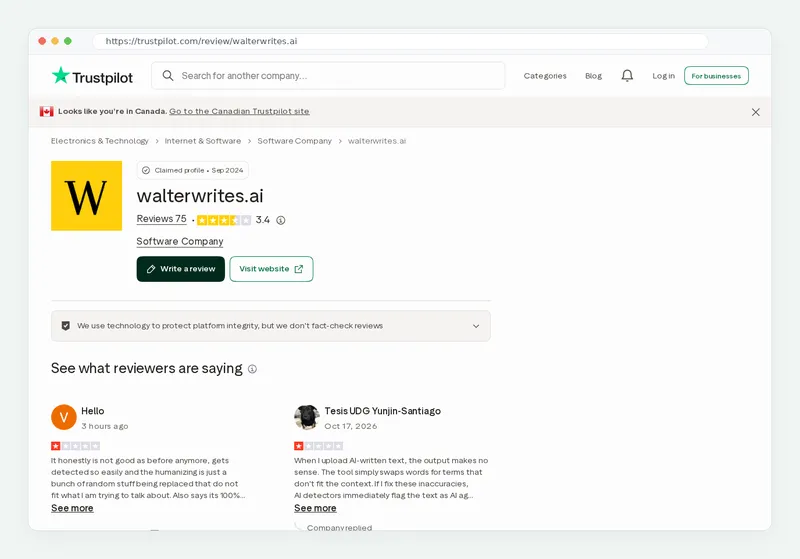
Email support@walterwrites.ai or use the chat inside the app or the help center. On Trustpilot, checked November 9, 2026, Walter had replied to 71% of negative reviews and “typically replies within 24 hours.”
If the tool will not work for you and you are inside the window, ask for a refund. The refund article covers your first-ever subscription, within 3 days, with 1,500 words used or fewer, and support replies within 2 business days. Renewals are final under the terms of service, so cancel the subscription before the next charge if you are done.
My page on the Walter refund policy explained walks through each condition. If you are leaving for good, you can also delete your Walter Writes AI account, and if repeated failures make you doubt the service, read is Walter Writes AI legit first.
My method and sources for this troubleshooting guide
On November 9, 2026 I captured the status page, read the help center’s “The app isn’t loading,” “What happens when I run out of words?” and “Word Per Request Limit Exceeded” articles, and read the three most visible Google Play reviews. I matched each symptom to a documented cause and a fix from those pages or Cloudflare’s guide.
Limits: the status page shows the present moment, not past outages, and Play reviews reflect a few users. Revision log: 2026-11-09, status rechecked, per-request caps and Android reviews updated. For how the whole product works, see my what Walter Writes AI is and how it works page or the full Walter Writes AI review.
Frequently asked questions
Is Walter Writes AI down?
Why is Walter Writes AI not working?
What does Walter Writes network error mean?
Why does Walter AI not work on my phone?
Why did the Walter Humanizer stop working?
Can I get a refund if Walter Writes AI is not working?
Is Walter Writes AI legit?
Try Walter Writes AI again in a fresh private window once the checklist is done; your words and documents stay on your account.