Short answer: October 2026
To humanize AI text, run the complete draft through a dedicated AI humanizer, then add your own specifics, check every fact and scan the final version on the detector your reader uses. Walter Writes AI is the top pick in our best AI humanizer ranking, with a 9.8 out of 10 score and a 98% bypass rate across five detectors on 50 test inputs. Its humanizer has three strengths (Simple, Standard and Enhanced), works in more than 80 languages and includes a built-in AI detector for the final check.
What humanizing AI text actually changes
AI detectors score how predictable a passage is. Language models pick highly probable next words, and Turnitin's AI writing FAQ says human writing "tends to be inconsistent and idiosyncratic" by comparison.
GPTZero popularized two measures for that gap. Perplexity scores how predictable each word choice is, and burstiness measures how much sentence length and structure vary across a text. GPTZero's own explainer notes it began with these signals and moved to a deep-learning model in autumn 2023.
A good humanizer rewrites at the level detectors read: word choice, rhythm and sentence shape. It keeps your argument, facts and structure in place. That is the difference between humanizing and simple synonym swapping, which leaves the underlying pattern intact.
Which AI can I use to humanize text?
Use a dedicated humanizer rather than asking a chatbot to sound human. A chatbot rewrite is still generated by the same kind of model, so it tends to keep the predictable patterns detectors look for. The tools below are built for the job; free allowances and prices come from each vendor's own pages.
| Tool | Best for | Free access | Built-in detector |
|---|---|---|---|
| Walter Writes AI | Best overall; long drafts in 80+ languages | 300 Humanizer words once, no card | Yes |
| Undetectable AI | Runner-up in our ranking | Basic free humanizer plus a 250-word trial | Yes |
| StealthWriter | Most free daily volume | 10 humanizations a day, up to 1,000 words each | 10 AI scans a day |
| Phrasly | One quick rewrite without signing up | 1 humanization a day, 15 to 500 words | Separate tool |
| Grammarly AI Humanizer | Matching your own voice | Basic humanizer on the page | Separate tool |
For the full scoring, see the best AI humanizer tools ranking. For free tiers only, see the free AI humanizer guide.
How to humanize AI text in 7 steps
- Finish the draft first. Get the structure, sources and argument right before humanizing. Rewriting a half-finished draft means doing it twice.
- Paste the complete text, not single sentences. Rhythm and variation are measured across a passage, so a humanizer needs whole paragraphs to work with.
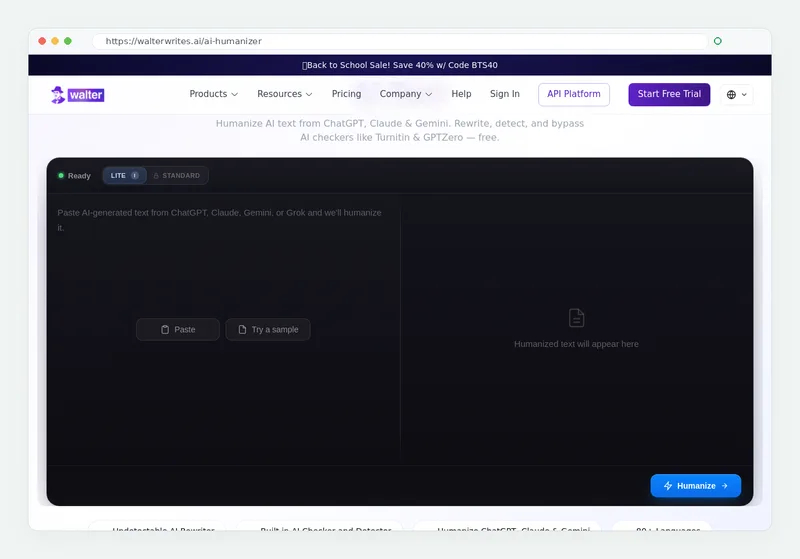
- Pick the strength. In Walter Writes AI, Simple makes the lightest changes, Standard rewrites more and Enhanced is the strongest level. Start with Simple for text that is already close to your voice. The free trial includes Simple; Standard and Enhanced are on paid plans.
- Compare line by line. Check names, numbers, dates, quotations and citations against your original. A rewrite should never change a fact.
- Add what only you know. Specific examples, a course reading, a result from your own work, a clear opinion. These details are the most human part of any text.
- Scan the final version. Run Walter's built-in detector, read the sentence-level results and re-humanize only the passages that still flag. Then scan again.
- Check length before you submit. Turnitin's FAQ says it does not process English documents with under 300 words of prose, and it shows scores from 1% to 19% only as an asterisk.
Walter also works inside Google Docs and Gmail through its Chrome extension and on iOS and Android, so you can humanize where you write.
How to humanize AI text manually
You can also edit AI text by hand. It takes longer, but it builds the habits that make any draft read as yours. Work through this checklist on every paragraph:
- Vary sentence length. Follow a long sentence with a short one. Uniform length is a classic machine pattern.
- Cut stock phrases. Openers and transitions that appear in every AI draft are the first thing a reader notices.
- Replace general claims with specifics. Swap a vague statement for a number, a name or an example you can source.
- Take a position. AI drafts balance every point. A human writer commits to a view and defends it.
- Read it aloud. Anything you would not say in your own voice gets rewritten.
For prompting techniques that produce a more natural first draft, see how to make ChatGPT text undetectable.
Can AI still be detected after using a humanizer?
Yes, depending on the detector, which is why the final scan matters. In a June 2026 study in the International Journal for Educational Integrity, the same set of humanised papers was correctly identified 92.5% of the time by Pangram, 50% by Turnitin and 2.5% by GPTZero.
Earlier research shows the same split. Krishna and colleagues found that paraphrasing cut DetectGPT accuracy from 70.3% to 4.6%, while a retrieval defence still caught 80% to 97% of rewritten text. The 2025 DAMAGE study examined humanizer and paraphrasing tools and also demonstrated detection of humanized text.
| Study | Key result | What it means for you |
|---|---|---|
| International Journal for Educational Integrity, June 2026 | Humanised papers caught 92.5% by Pangram, 50% by Turnitin, 2.5% by GPTZero | Check on the detector your reader uses |
| Krishna et al., 2023 | Paraphrasing cut DetectGPT accuracy from 70.3% to 4.6% | Rewriting changes what detectors see |
| DAMAGE, 2025 | Detection of humanized text demonstrated | Use the strongest level and scan again |
Humanizing AI text for school or work
Follow your institution's rules first. Many universities allow some AI use with disclosure, and both MLA and APA publish formats for citing generative AI. Turnitin's AI Writing Report guide says the report should not be the sole basis for adverse action against a student.
Detectors also misread some human writers. A 2023 Stanford study found detectors consistently misclassify non-native English writing as AI-generated, which is one reason careful writers humanize and scan their own work. Keep your drafts and notes so you can show how a piece developed.
Common mistakes when humanizing AI text
Most failed rewrites come from the same few habits. Fix these and the same humanizer produces a far better result.
| Mistake | Why it fails | Fix |
|---|---|---|
| Humanizing one sentence at a time | Detectors read patterns across a whole passage | Paste complete paragraphs or the full draft |
| Asking a chatbot to sound human | The rewrite comes from the same kind of model | Use a dedicated humanizer, then edit by hand |
| Skipping the fact check | A changed number or name costs more than a flag | Compare every figure, date and citation with the original |
| Scanning only one detector | Detectors disagree sharply on the same text | Scan on the detector your reader actually uses |
| Submitting very short text | Turnitin does not process English prose under 300 words | Judge the full document, not a fragment |
| Running the text through again and again | Each pass drifts further from your meaning | Re-humanize only the passages that still flag |
Which humanizer strength should you pick?
Match the strength to how far the draft is from your own voice. In Walter Writes AI, Simple suits text you have already edited, such as an email or a paragraph you wrote with light AI help. Standard suits a typical AI first draft of an essay, report or blog post. Enhanced is the strongest rewrite and suits long, heavily generated drafts.
Whatever level you pick, the order stays the same: humanize the whole text, compare it with the original, add your specifics, then scan. Writers who follow that order spend less time re-running passages and keep more of their original meaning.
Frequently asked questions
How can I humanize AI content?
Which AI can I use to humanize text?
Can I humanize AI text for free?
Can AI text still be detected after a humanizer?
Is ZeroGPT a good humanizer?
Does humanizing change the meaning of my text?
Is it better to humanize AI text manually or with a tool?
Try the Walter Writes AI humanizer with the 300-word free trial.