Short answer: October 2026
The official Walter Writes AI product site is walterwrites.ai. Walter’s Terms of Service name Walter AI Inc. of Montréal as the operator. Its iPhone and Android apps are listed as “Walter Writes: AI Humanizer”, and both store listings name Walter IA Inc. as the developer. WalterWritesAI.com is an independent reference guide, not the product. Sign in, pay and request account help only on walterwrites.ai or through the official app stores.
| What you need | Official destination | What to verify |
|---|---|---|
| Product, sign in and checkout | walterwrites.ai | The address bar ends in walterwrites.ai |
| Billing rules | Walter Terms of Service | Section 6 for refunds, renewal and cancellation |
| iPhone app | App Store listing | Name “Walter Writes: AI Humanizer”, seller Walter IA Inc. |
| Android app | Google Play listing | Package com.walterwrites |
| Help articles | Walter help center | Address on support.walterwrites.ai |
Is walterwritesai.com the official site?
No. WalterWritesAI.com (see about this site) publishes reference guides about Walter Writes AI, such as the review, pricing guide and refund guide. You cannot humanize text, sign in, pay or change a subscription here. When a guide on this site and Walter’s current Terms or account screen differ, the official source controls.
Who operates walterwrites.ai?
Walter’s Terms of Service (“Last Updated September 19, 2025”) say: “We are Walter AI Inc.”, with an address at 410 rue Saint-Nicolas in Montréal, Québec. The App Store and Google Play listings name the developer as Walter IA Inc., also in Montréal. The spelling differs between the Terms and the store listings; both are published by Walter’s own channels.
Where do I get the official Walter app?
Walter’s mobile page links its App Store badge to the listing with ID 6757705138 and its Google Play badge to the package com.walterwrites. Both listings show in-app purchases. The mobile page says drafts, history and settings sync across web, the Chrome extension and mobile, and that paid plans are shared. Install from those store listings rather than from a downloaded file or a search ad. If you subscribe inside an app, see the cancellation guide, because store purchases are cancelled through Apple or Google.
How can I spot a copycat login or pricing page?
Read the domain from right to left. The product domain ends in walterwrites.ai; a different ending or an extra word is a different site, even if it copies the logo. Reach the sign-in page from the walterwrites.ai homepage instead of a copied link. Compare plan name, word allowance, billing period and total charge with Walter’s own pricing page before paying, and treat “permanent” coupon codes on third-party pages with caution. The discount guide explains how to confirm a promotion, and our guide to which Walter AI is which separates Walter Writes AI from unrelated products with similar names. If you entered a password on a site you have not verified, change it from the official site.
Five checks before you sign in or pay
Copycat pages work because they look right at a glance. Run these five checks every time you land on a Walter page from a link you did not type yourself. Each check takes seconds and catches the most common tricks.
- Read the full domain. The product lives on walterwrites.ai and its subdomains. CISA lists lookalike links such as amazan.com as a core phishing sign, so a single swapped letter means a different site.
- Confirm the sign-in address. Walter's own navigation sends the Sign In button to app.walterwrites.ai/en/login. Any login form on another domain is not Walter's.
- Match the price. Compare the plan, words per month and billed total with Walter's pricing page before you enter a card.
- Check the app developer. Install only the listings linked from Walter's mobile page, where the developer shows as Walter IA Inc.
- Ignore payment-update links. The FTC says legitimate companies won't email or text with a link to update your payment information. Open walterwrites.ai yourself instead.
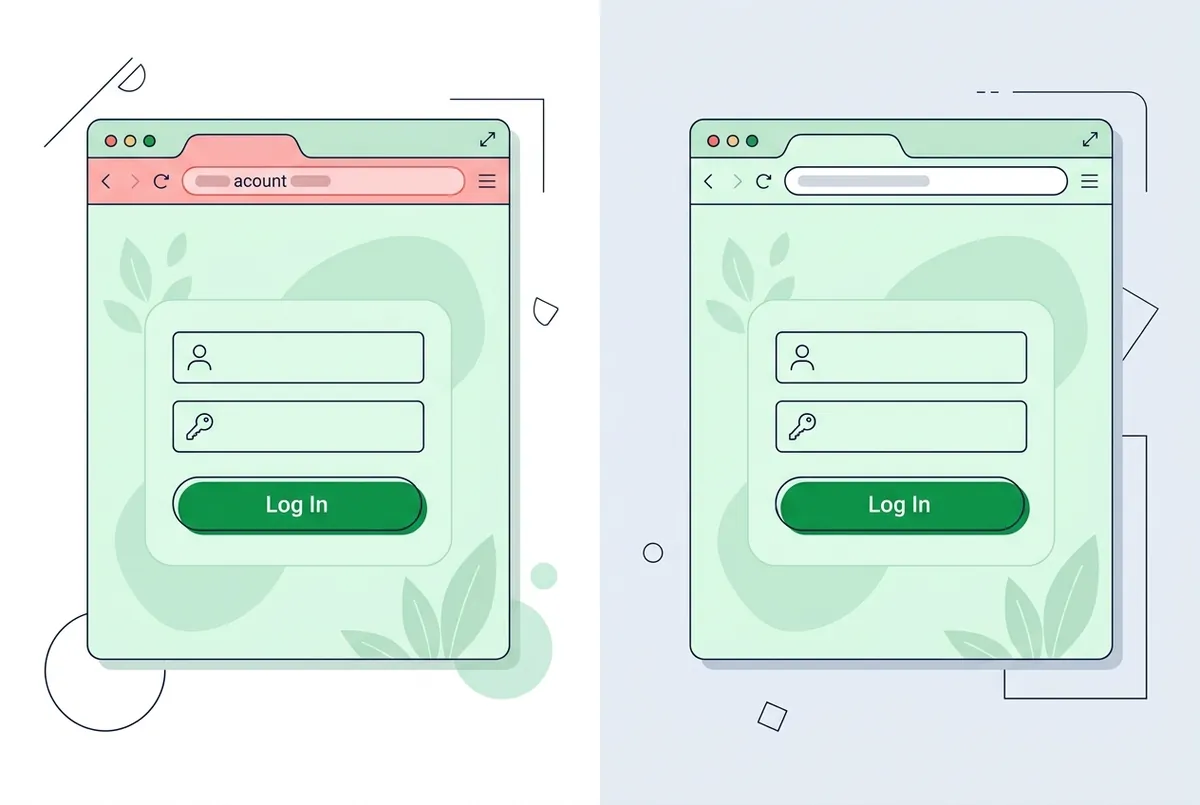
Official Walter channels versus copycat warning signs
The table below pairs each official Walter channel with the warning sign to watch for. Every official entry comes from links in Walter's own site navigation, read on October 19, 2026.
| Channel | Official version | Warning sign |
|---|---|---|
| Sign in | app.walterwrites.ai, reached from the Sign In button on walterwrites.ai | A login form on any other domain, or a link sent by message |
| Promotions | A banner on walterwrites.ai; on October 19, 2026 it read Save 40% w/ Code BTS40 | A code that asks you to pay or register on a different site |
| Support | Help center chat and email links, plus a contact form that promises a reply within 48 hours | A social media message asking for your password or a verification code |
| Service status | status.walterwrites.ai, linked from the Company menu | A pop-up claiming your account is locked |
| Mobile apps | App Store ID 6757705138 and Google Play package com.walterwrites | An APK file or a store listing with a different developer |
What to do with a suspicious Walter email or text
Treat any unexpected message about your Walter account or billing as suspect until you confirm it on walterwrites.ai. CISA's phishing guidance boils the response down to three steps: recognize, resist and delete. Its warning signs include urgent language, requests for personal or financial details and untrusted shortened links.
CISA also notes that perfect grammar no longer proves a message is real, because AI tools now write convincing scam text. Judge the sender address and the link destination instead of the writing quality.
Report what you receive. The FTC asks you to forward phishing emails to reportphishing@apwg.org, forward scam texts to 7726 and file a report at ReportFraud.ftc.gov. If the message imitates Apple's App Store billing, Apple's guidance says to forward it to reportphishing@apple.com.
Typed your Walter password into a fake site? Fix it in this order
Speed matters here. Walter's Terms of Service (section 4) say you are responsible for all use of your account and password, so lock the account down before anyone else uses it.
- Reset your Walter password from the forgot-password page on app.walterwrites.ai, following Walter's reset article.
- If you signed up with Google, your Walter access depends on your Google account. Use Google's account recovery steps and change that password instead.
- Turn on multifactor authentication for the email account that receives Walter reset links. CISA explains that MFA blocks attackers who already hold your password.
- Check your card statement for charges you did not make. Federal law caps your liability for unauthorized credit card charges at $50, according to the FTC.
- Dispute any charge you did not authorize in writing. The CFPB says the written notice must reach the card company within 60 days of the statement showing the charge.
Fake sign-in pages are only half the risk. A copycat checkout can take a real card payment for a plan that does not exist, which is why the price check in the first list matters as much as the domain check.
Frequently asked questions
What is the official Walter Writes AI website?
Is walterwritesai.com run by Walter?
Is there an official Walter Writes AI app?
Who makes Walter Writes AI?
Where is the official Walter Writes AI login?
Does Walter Writes AI have an official support email?
Is status.walterwrites.ai an official Walter page?
Is a Walter promo code on a coupon site real?
How do I report a fake Walter website or message?
Can a fake app steal my Walter login?
Which web addresses belong to Walter Writes AI?
Walter’s own site navigation links to these addresses, all ending in walterwrites.ai:
- walterwrites.ai: product pages, pricing and Terms
- app.walterwrites.ai: sign-in, the editor and account settings
- support.walterwrites.ai: the help center
- docs.walterwrites.ai and platform.walterwrites.ai: API documentation and API accounts
- status.walterwrites.ai and trust.walterwrites.ai: service status and the trust center
If a sign-in or payment page sits on any other domain, leave it and start again from walterwrites.ai. Walter’s Chrome extension installs from the Chrome Web Store link on its extension page, and its mobile apps from the store badges on its mobile page. Before installing an app, check that the developer is shown as Walter IA Inc. and that the listing is the one linked from Walter’s own page. Remember that an in-app subscription is billed by Apple or Google, not by Walter’s website, which matters if you later want to cancel or ask for a refund.
Source and method
This guide uses Walter’s Terms of Service, mobile page and help center, plus the App Store and Google Play listings linked from Walter’s mobile page, all read on October 15, 2026.